
Are you ready for logistics automation? Take our readiness quiz to find out!
Blog
February 2, 2026
Pushing the Boundaries of Business Central’s Sales Order Agent
By: Jason Chance, Senior Developer
At our core, we love a good challenge, especially when it involves testing the latest AI tools to see what they really bring to the table for our clients. Is it a bunch of Microsoft marketing hype, or is it something truly useful for our clients? In our latest deep dive, I sat down to push Microsoft’s Sales Order Agent in Dynamics 365 Business Central beyond the basics.
If you’ve seen our earlier walkthrough, you know the Sales Order Agent is designed to take the “administrative weight” off your team by monitoring inboxes, creating quotes, converting sales quotes to orders, and processing order confirmations. But how does it handle the messy, real-world scenarios that usually require a human touch?
Here’s what we discovered when we tried to break it.
Multilingual Requests: Smart, but Case-Sensitive
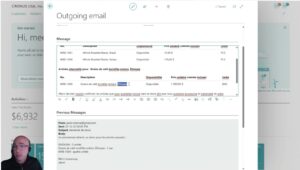
One of the most impressive features is the sales agent’s ability to handle multilingual communications. If a customer has a preferred language set in Business Central, the agent will respect that, even if your internal interface is in English.
The Test: We threw a French order at it, complete with item descriptions and UPC codes.
- The Result: It successfully identified the Brazilian and Mexican coffee items and converted their units of measure correctly.
- The Catch: It struggled with the Ethiopian coffee, categorizing it as an “alternative item” rather than a direct match. While the AI is powerful, it still requires a quick human “sanity check” before hitting send. The upside is the agent will learn the more transactions it has to work with. The next time this customer orders this item, it’s much more likely to make a correct match.
Speed vs. Control: The Workflow Dilemma

The agent’s configuration allows us to decide how much autonomy it has. We can toggle options like “Review Quotes” or “Send Quotes for Confirmation”.
The Utility for Users: If you want maximum speed, you can set the agent to jump straight from a quote to a sales order. However, we found that this can sometimes override a customer’s explicit request. In our test, even when the customer asked for a quote, the agent—configured for speed—processed it as a full order, skipping the sales quote step.
For your team, this means the setup isn’t just a “set and forget” feature”. To start out, it’s probably best to err on the side of more human intervention to ease into it. It’s a strategic choice between processing volume and personalized service.
Processing PDFs: No More Manual Data Entry?

One of the highlights of our demonstration was the agent’s ability to handle document attachments.
- The Test: We received an email from a customer who no longer wanted the original item and instead attached a PDF with a new list of items.
- The Result: The agent successfully read the PDF—which included item numbers, quantities, and units of measure—and automatically updated the sales quote. This is a massive win for productivity, potentially saving significant manual data entry.
Knowing When to Take the Wheel

Even AI has its limits. We pushed the agent with a complex order modification—specifically, an order for “one bag and five units” of the same item.
- The Boundary: The agent couldn’t quite handle the split unit of measure and ended up significantly overcharging by using only one unit of measure for the total quantity. When the customer asked for a fix, the agent correctly identified that it had reached an “unsupported order modification” and requested human assistance.
- The Takeaway: This is actually a feature, not a bug. The system is smart enough to know when it’s out of its depth, allowing us to stop the automated task and take over manually to ensure the customer gets exactly what they need.
Final Thoughts: A Powerful Assistant, Not a Replacement
The Sales Order Agent is a “relatively quick” worker, often processing emails in 20 to 40 seconds. It doesn’t replace your sales team; it acts as a high-speed assistant that clears the deck of routine tasks so your people can focus on the complex, high-value orders that require a personal touch.
Watch the full demo here: https://dynamicscommunities.com/ug/dynamics-business-central-nav-ug/testing-limits-sales-order-agent-in-business-central/